

MAINTENANCE / EQUIPMENT KNOWLEDGE
Maintenance of a Concrete Batching Plant: Diagnosing and Addressing Common Faults
A symptom-led guide to batching plant faults, from weighing and discharge to conveyors, controls and preventive maintenance.
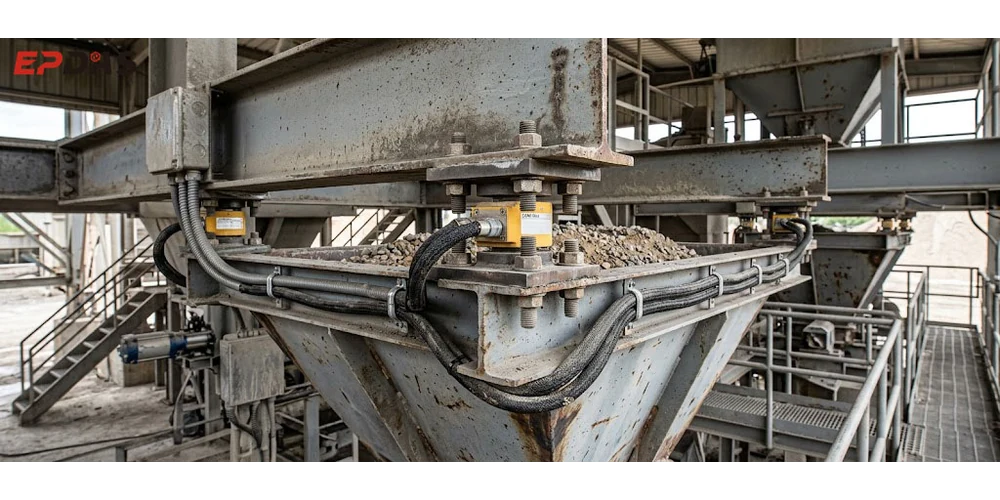
A concrete batching plant rarely shuts down without warning. Before most failures occur, there are usually clues: fluctuating weight readings, slower discharge, unusual mixer noises, or belt misalignment.
Much of the information online about batching plant maintenance consists of daily, weekly, and monthly inspection lists. These are useful for routine maintenance, but when an unexpected problem occurs on site, they may not tell you where to start.
This article focuses on practical, on-site troubleshooting: what to investigate when equipment develops a fault, which components to check, and how to reduce the chance of the same problem recurring.
Check the Symptoms First
When equipment develops a problem, the first reaction is often to suspect a damaged part and dismantle it for repair. This can lead to misdiagnosis, wasted working hours, and damage to parts that were still in good condition.
At the fault site, first establish the basic facts and determine whether the problem is mechanical, electrical, pneumatic, or related to the material itself.
Pay attention to how the fault develops.
Does it occur suddenly, or does it gradually become worse?
Observe how often the fault occurs.
Does it happen with every batch, or only occasionally? Does it occur only when processing a particular material, or across all mixing operations?
Does the fault disappear temporarily after the equipment is restarted?
Don't assume the problem is solved just because the equipment starts working again. Some electrical faults and poor connections may temporarily recover after a restart, but the root cause remains.
Follow a systematic troubleshooting process: observe the symptoms, list possible causes, check the equipment on site step by step, confirm the root cause, and then carry out the repair. Don't skip diagnosis and replace parts straight away.
Actual Output Lower Than Expected Production Capacity
The equipment nameplate specifies its rated hourly output, but actual production may fall short of that figure. Don't immediately conclude that the batching plant itself lacks capacity. Instead, check each stage of the production process in sequence.
Aggregate feeding
Check whether the aggregate hopper feeds smoothly and whether discharge is slow. Is the conveyor belt slipping? Is material forming an arch inside the silo? Material may also become blocked at the silo outlet and fail to flow, directly increasing the cycle time for each batch.
Weighing
Can the weighing hopper reach the target weight normally? Has material built up on the hopper walls? Does the discharge gate open fully? A jammed gate can prevent complete discharge, leaving residual material that carries over into the next batch.
Mixing
Has the actual mixing time been extended by operator settings or a malfunction? Does the mixer often operate under an overload condition? If hardened concrete has built up inside the drum, the effective mixing volume will be reduced.
Discharge
Can the mixer discharge all the material completely? Concrete buildup on the drum walls and blades can interfere with discharge. Check whether the discharge gate opens fully; a local obstruction can reduce the effective discharge opening.
External supporting factors
The time between truck arrivals also matters. If trucks cannot keep up with production, the mixer may have to wait for a vehicle after each batch, reducing the calculated hourly output.
Any stage that takes longer will increase the production cycle time per batch. In many cases, low output is not caused by the equipment's rated capacity, but by a series of smaller faults.
Inaccurate Weighing or Unstable Readings
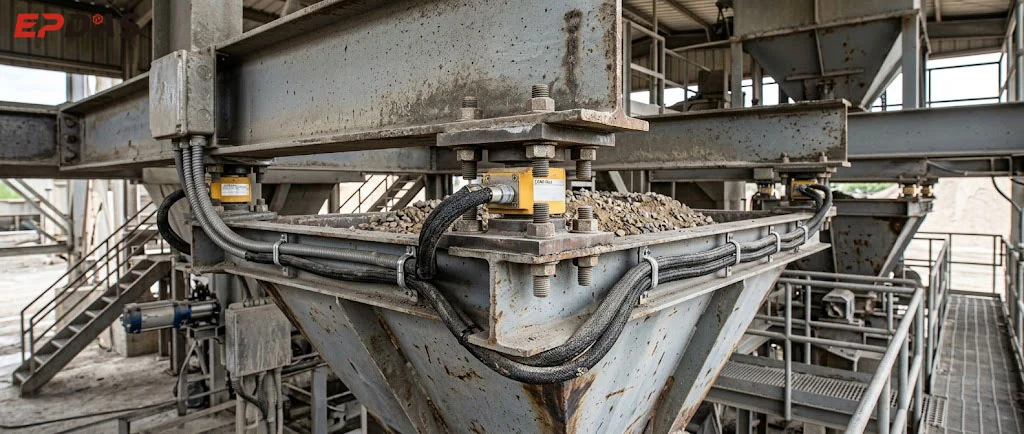
Weighing faults are common at batching plants and can appear in several ways. The weight reading may fluctuate, or the value shown on the screen may not match the actual amount of material. One batch may be weighed correctly while the next shows a deviation. The weighing hopper may also fail to return to zero when empty. Troubleshoot these faults in a consistent order.
Step 1: Rule out external interference from materials.
Check for hardened material buildup on the inside walls of the weighing hopper. Is the hopper touching or rubbing against nearby supports or pipes? Are stones or hardened concrete stuck in gaps around the hopper? Any additional external force on the weighing hopper can distort the sensor readings.
Step 2: Check the weighing sensors and related components.
Check whether any sensor is under additional pressure or subjected to an external force. Is the cable sheath damaged or worn from rubbing? Loose or corroded terminals can cause unstable signals. Compare the readings from each sensor to identify any individual sensor that is behaving abnormally.
Step 3: Check the feeding system and hopper-gate mechanism.
The control system may issue a stop-feeding command while material continues to fall into the weighing hopper, causing overweighing. This can happen when the gate does not close tightly or material becomes trapped at the sealing surface, allowing fine aggregate to continue leaking through.
If the weighing results are incorrect, don't immediately recalibrate the scale. Calibration only adjusts the parameters. If the underlying problem is a physical obstruction, friction, or damaged wiring, repeated calibration will not solve it, and the fault will soon return.
Slowly or Incompletely Mixer Discharges
Typical symptoms include a long discharge time and concrete remaining inside the drum. Discharge may become slower as production continues. The discharge gate may be open, but the concrete still does not flow out properly.
Here we need to distinguish between two completely different situations.
First: a mechanical drive problem
The discharge gate may not be opening fully. Check the hydraulic or pneumatic actuator, and inspect the gate shaft and connecting linkage for sticking or deformation. Also check whether the pressure is sufficient to open the gate fully.
Second: the gate operates normally, but the concrete does not flow out.
The problem may be caused by hardened buildup on the inside wall of the drum, which narrows the discharge opening. The concrete slump or workability may also be outside the expected range, reducing flow. If the blades are badly worn, they may no longer push the material at the bottom of the drum toward the discharge outlet effectively.
Abnormal Noise or Vibrates Excessively of the Mixer
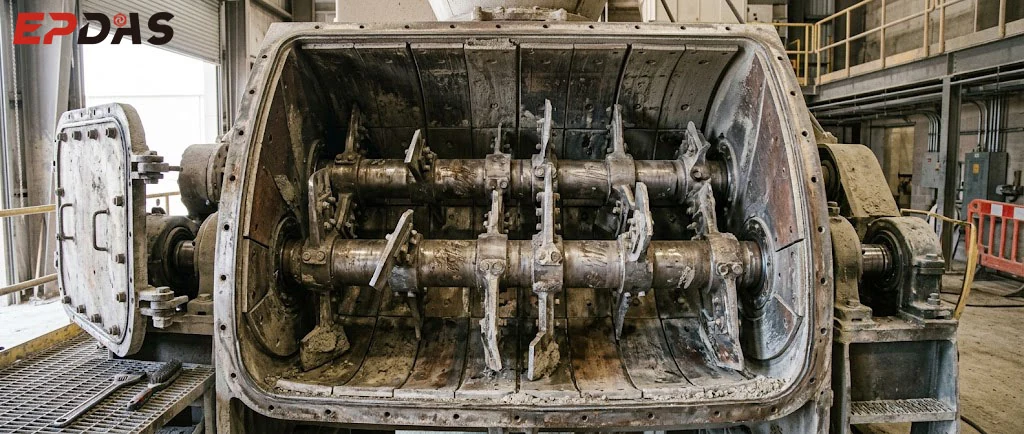
When you hear unusual noise or notice increasing vibration across the machine, first identify the operating conditions under which it occurs. Does the noise happen when the mixer is running empty, when it is mixing a full load, or only during discharge?
Worn or damaged bearings can produce persistent, recurring noise. Bolts may gradually loosen during operation, increasing vibration. Bent, worn, or broken mixing blades can also produce obvious impact noise once material is loaded.
If foreign objects such as stones or rebar enter the drum, they may cause intermittent impact noises during mixing. Uneven buildup on the drum walls or blades can create an unbalanced load and cause the machine to shake. Wear or damage in transmission components such as couplings and gearboxes can also cause vibration and noise.
If you notice unusual noise, don't immediately decide to replace the bearing. First locate the source of the noise, then shut off and isolate the power before opening the equipment for inspection. Check clearances and fastener tightness, identify the actual source, and then adjust or replace components as needed.
Also, a mixer being in service for a long time does not mean that vibration is normal. If vibration continues to increase, it can lead to more serious damage.
The Aggregate Conveyor Belt Slips, Mistracks, or Spills Material
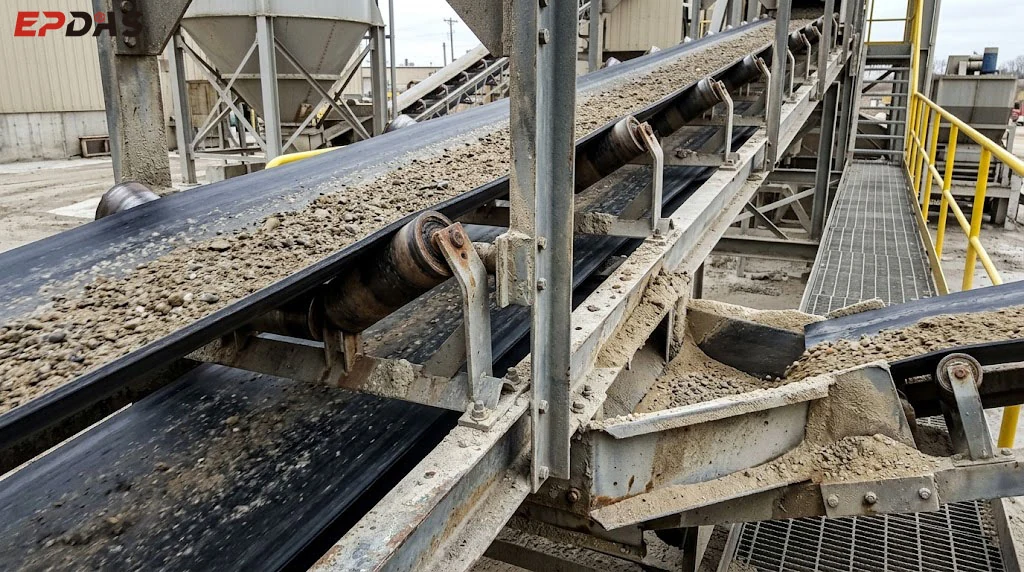
Belt problems generally fall into three categories: slipping, mistracking, and material spillage. Don't immediately adjust bolts or reposition the rollers without checking the cause; incorrect adjustments can make the problem worse.
Belt slippage
Check whether the belt tension is correct. Sand or concrete buildup on the roller surface can reduce friction and cause slipping. Check whether the material load exceeds the belt's conveying capacity. Water on the belt or roller surface can also reduce friction, making slippage more likely under a heavy load.
Belt mistracking
Check whether the rollers are correctly aligned. The material may be falling onto one side of the belt; an uneven load can cause the belt to keep drifting to one side. An aging belt may also have uneven tension across its width.
Material spillage
The material may be dropping onto the belt at an unsuitable point, causing it to scatter on impact. The belt speed may not match the feeding rate, or the rubber sealing strips along the belt edges may be worn or damaged. Material buildup on the rollers can also affect belt tracking.
Abnormal Discharge of Cement and Other Powders
Common powder-handling problems include slow cement discharge, low powder output even when the screw conveyor motor is running, and frequent blockages at the silo outlet. Discharge may also be intermittent or stop completely.
Troubleshoot along the material flow path: start with the silo, then check the bottom outlet, valve, screw conveyor, drive mechanism, and the condition of the powder itself.
Moist powder can form an arch and stop flowing through the silo outlet. In humid conditions, moisture may enter the silo and cause the powder to cake or block the outlet.
Screw flights wear over time, reducing conveying capacity. If the silo is equipped with an aeration system, check whether the air supply pressure is adequate and whether the aeration pads are blocked.
Frequent Alarms from the Electrical and Control Systems
When the PLC displays an alarm, it does not necessarily mean that the controller or sensor is faulty. Determine whether the alarm is caused by an abnormal sensor signal, a wiring problem, an actuator that has not completed its movement, or an actual abnormal condition in the production process.
A suggested troubleshooting sequence is to read the alarm message and check the signal feedback from the relevant sensor.
Then inspect the wiring and terminal connections. Next, check the corresponding actuators, such as solenoid valves and cylinder drives.
Finally, confirm the actual mechanical condition of the equipment.
For example, the system may report that the weighing hopper is not empty.
At the site, first confirm whether material remains in the hopper. Check whether the discharge gate opens fully and whether stones or hardened material are preventing it from closing or opening properly. Once the mechanical condition has been checked, inspect the feedback signal and wiring, and only then consider a fault in the controller hardware.
Common Faults Easy to Misdiagnose
On-site maintenance can easily fall into a pattern of jumping to conclusions. A symptom may lead someone to assume that a particular part is damaged, resulting in an incorrect diagnosis. Even after the part is replaced, the fault may remain.
Inaccurate weighing does not necessarily mean that the weighing sensor is damaged. In many cases, friction around the weighing hopper or material buildup causes external interference, while the sensor itself remains in good condition.
Slow discharge does not necessarily mean that the discharge-gate mechanism is faulty. Changes in the condition of material buildup inside the drum or in the concrete's workability can also slow discharge.
If the plant's actual output is too low, that does not necessarily mean the mixer lacks mixing capacity. Aggregate feeding, weighing, discharge, or truck availability can all slow down the process.
A motor overload alarm does not necessarily mean that the motor itself is burned out or damaged. A jammed mechanism or an unusually high load can also trigger the overload protection system.
Frequent sensor faults do not necessarily mean that the sensors themselves are damaged. Loose wiring, cable wear, and external interference from material can all cause abnormal signals.
Preventive Maintenance: Identify Problems Before Failures
Most of the previous content is about how to deal with the failure after it occurs. However, the focus of equipment operation and maintenance is to identify hidden dangers in advance.
Rather than following a fixed calendar schedule alone, plan inspections based on the equipment's operating hours, component wear, and minor abnormalities observed during daily operation.
High-wear components
Mixing blades, liner plates, conveyor belts, bearings, and seals fall into this category. These components are in continuous contact with materials and experience ongoing friction and wear. Once wear reaches a certain level, their performance can deteriorate rapidly.
Precision-critical components
Weighing sensors, position sensors, and weighing-hopper mechanisms directly affect batching accuracy. These components may not fail completely, but even a slight decline in performance can cause fluctuations in production quality.
Failure-sensitive components
Motors, gearboxes, hydraulic and pneumatic components, and electrical terminals can all cause the plant to stop if they fail. Early signs such as corroded or loose wiring and hydraulic leaks can often be spotted visually; if left unaddressed, they may eventually lead to an unexpected shutdown.
During each inspection, look for signs of wear, leakage, and abnormal noise. Don't wait until a fault causes a shutdown before taking action.
Keep Fault and Maintenance Records
Many batching plants neglect on-site recordkeeping. Once a fault has been repaired, it is easy to move on and forget about it. However, recurring minor faults can point to a larger underlying problem.
For each fault, record a few key details: the date, the equipment and components involved, the symptoms observed on site, any control-system alarm messages, the suspected trigger, the corrective action taken, any parts replaced, the equipment's cumulative operating hours, and whether the fault recurs after repair.
After collecting records over time, you may start to see patterns in the equipment's behavior. For example, the same weighing hopper may show weight drift every other week. If the problem is temporarily fixed each time but returns later, the root cause may not have been eliminated.
The record format does not need to be complicated. Keeping the key information is enough to support future troubleshooting.
Conclusion
Don't wait until the equipment has stopped completely before addressing a problem. Watch for abnormal signs during operation. When troubleshooting, start with simple, visible potential causes, and replace parts only after confirming the root cause. A systematic approach helps reduce unnecessary downtime and prevents the replacement of parts that are still in good condition.
As a concrete batching plant manufacturer, EPDAS understands the importance of equipment reliability, stable operation, and routine maintenance. Systematic fault diagnosis, regular inspections, and timely maintenance help keep a batching plant running reliably.
The complete supplied article is retained above. The photographs illustrate the relevant equipment components; no maintenance interval, named author or performance result has been added.
Continue reading
Return to equipment knowledge for the supplied selection topics. Additional selection articles are available in the knowledge archive.
Discuss your plant requirements
Include your plant model, symptoms, operating conditions and any alarm message. Model-specific instructions and service terms require confirmation.
Ask about your equipment